Expense Tracking for Restaurants With Multiple Locations
How restaurant operators can organize receipt records across a team while keeping location, inventory, payroll, and prime-cost accounting in the systems that support them.

Alex Chen
Product Manager & Personal Finance Advocate
Expense Tracking for Restaurants With Multiple Locations
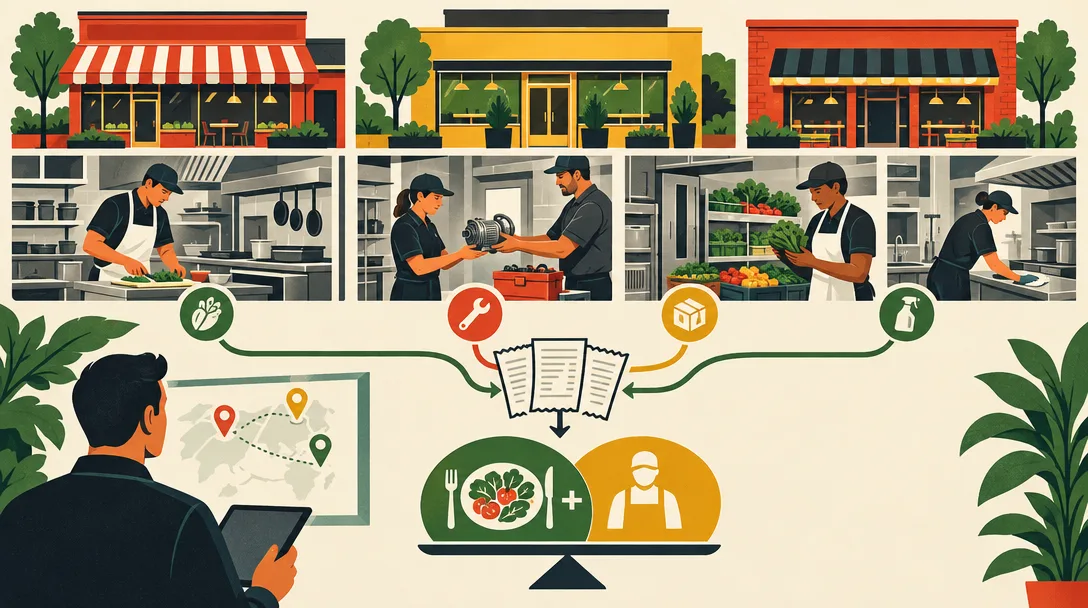
For a restaurant group, keep each purchase receipt with its date, vendor, amount, purpose, and location assignment in a system that supports location-level accounting. A receipt tracker can collect documents from a team, but it cannot replace inventory, payroll, point-of-sale, or prime-cost reporting.
Define the record each location must submit
Give managers one process for submitting repair, supply, and other operating-purchase records. The record should identify the merchant, date, total, payment method if relevant, and the restaurant location or cost center. Add a short note when the receipt does not explain the business purpose.
Set location and expense codes in your bookkeeping or restaurant-management system. That is where you should reconcile vendor bills, inventory purchases, payroll, sales, and other inputs used in location-level financial statements.
Reconcile records in the right system
A receipt alone does not show whether a food purchase was received, entered into inventory, credited by a vendor, or paid from a particular location’s account. Match receipts and invoices to the accounting records, and compare purchases with point-of-sale and inventory data using the tools that maintain those records.
For U.S. businesses, IRS Publication 463 describes business-expense substantiation and recordkeeping. It does not make a receipt tracker a tax or accounting system; apply the guidance to your own facts and current rules.
What Yomio Business Mode can support
Business Mode can collect receipts and expense records from team Members. Admins can see the team’s records, enable optional approval, receive scheduled weekly or monthly summary emails, and export expense data as CSV.
The product does not assign expenses to restaurant locations, calculate food or labor cost, manage inventory or purchase orders, reconcile point-of-sale data, or create prime-cost reports. Categories can label a record, but they do not replace a restaurant chart of accounts or a location cost center. A CSV export is a file for review and manual import; it is not a live accounting connection.
A practical workflow
- Set a written submission rule for managers and decide which receipts, invoices, and payment records belong in the process.
- Require each entry to identify the correct location in the restaurant or accounting system that supports that field.
- Review unclear, duplicate, or incomplete records before the bookkeeping close.
- Reconcile receipt records with vendor invoices, payment records, inventory, payroll, and sales data.
- Export or report from the source systems used for the restaurant’s books.
Choose the review frequency that fits your close schedule and transaction volume. The right cadence depends on the business; there is no universal schedule that guarantees complete records.
When a receipt tracker is a fit
A team receipt workflow may help managers submit documents and let an Admin review them in one workspace. It is only one part of the control process. If you need location-level cost coding, purchase-order matching, inventory accounting, or prime-cost dashboards, choose a restaurant or accounting system that supports those workflows.
Before adopting any tool, confirm who can view receipts, what information is exported, how corrections are recorded, and how long source documents remain available. Do not treat an organized receipt folder as proof that a purchase was approved or classified correctly.
Review Yomio Business Mode for team receipt collection and check the current plan details.
Tip
An approval step can help an Admin request missing context before a record is accepted. It does not confirm that the expense matches an invoice, inventory record, point-of-sale data, or a location’s books. Keep those checks in the systems that hold the source records.
Collect team receipts in one workspace
Yomio Business Mode lets team members submit receipts and expense records for an Admin to review. Use optional approval, scheduled summary emails, and CSV export as part of your wider accounting workflow.
See Business Mode