Multi-Location Expense Tracking: What Small Businesses Need to Check
Compare receipt capture, location coding, approvals, reporting, and accounting export before choosing a multi-location expense workflow.

Alex Chen
Product Manager & Personal Finance Advocate
Multi-Location Expense Tracking: What Small Businesses Need to Check
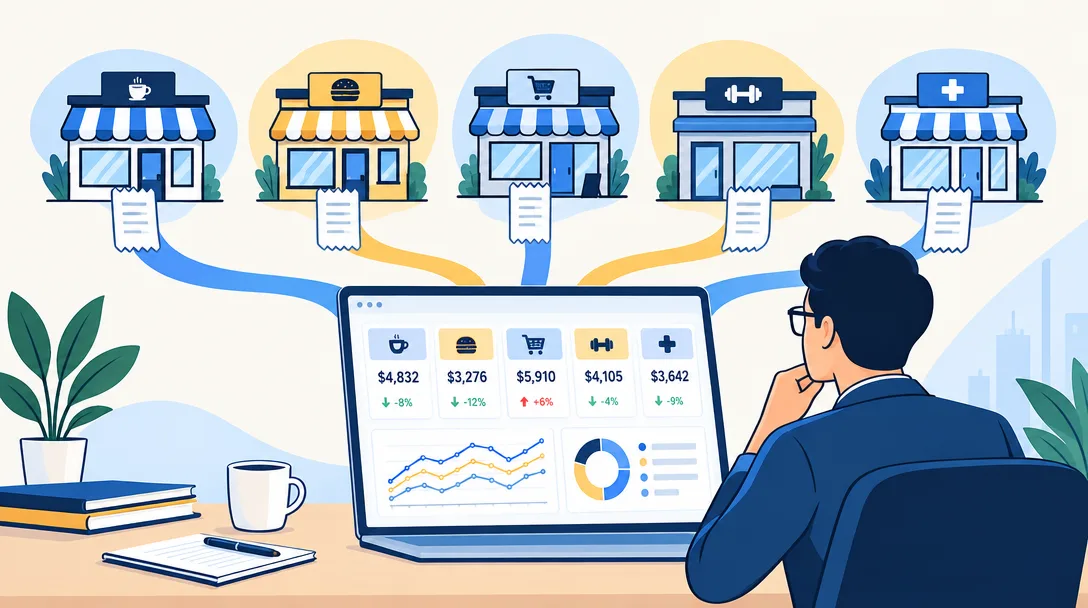
Before choosing a multi-location expense tool, confirm that it can assign each expense to the right location and produce the reports your accounting process needs. Receipt collection alone does not provide location-level accounting.
Yomio Business Mode can collect receipt-based expense records for a team, support an optional admin approval step, email weekly or monthly summaries, and export records as CSV. It does not tag expenses by business location, provide location-level rollups, or connect directly to QuickBooks or Xero. Use a separate accounting or operations system for location coding and consolidated books.
Define the reporting job first
Write down the questions the system must answer before comparing products:
- Which location or legal entity paid for the purchase?
- Who can submit, review, and approve an expense?
- What source record supports the amount and business purpose?
- How will the expense reach the accounting ledger?
- Which reports are needed by location, entity, period, or category?
If the system cannot preserve these distinctions, a single combined expense total may hide errors instead of helping you find them.
Check the required capabilities
Location assignment
Confirm that users can assign a location or entity at the time of entry, and that the field remains available in searches, exports, and reports. Ask whether a person can work across more than one location and how corrections are recorded.
Review and approval
Check who can review expenses and whether approval rules match your written policy. Ask whether the tool supports any limits or routing you require; do not assume that a basic approval toggle can enforce a full policy.
Reporting
Confirm that reports can filter or group records by the fields your finance team uses. Review a sample report with realistic expenses from more than one location before replacing your current process.
Accounting handoff
Check whether the product connects directly to your accounting software or only creates an export file. For CSV exports, verify the column names, account mapping, tax fields, and import steps with the person who maintains your books.
Where Yomio Business Mode can fit
Business Mode is designed for team receipt collection and expense review. Members can submit receipt records, an admin can enable an approval step, the admin can receive a weekly or monthly summary, and the team can export data as CSV. QuickBooks and Xero exports are files for a separate import and review process, not live integrations.
This workflow may help a team organize source records before accounting review. It is not a location ledger, franchise management platform, reimbursement payment system, or replacement for accounting controls. Check the current Business Mode details and pricing before selecting a plan.
Pilot the process before rollout
Choose a short period and a small group of users. Capture representative expenses from each location, review the records, and test the accounting handoff. Check for missing location identifiers, duplicate entries, unclear approval ownership, and manual steps that would become difficult at larger volume.
Write down who owns each correction and where the final accounting record lives. Keep the source receipt and the accounting entry connected under your organization’s retention process.
Tip
Never approve an incomplete expense. If a receipt is missing, a category is wrong, or an amount is suspicious, send it back. This small gate stops bad data from flowing into accounting and saves hours of cleanup later.
Last reviewed: September 27, 2026.
Collect team receipt records with Business Mode
Business Mode supports team expense records, optional approval, scheduled summaries, and CSV exports. Use your accounting system for location coding and financial reporting.
Explore Business Mode